Save for anything, in any currency
A budget tells you where your money went. A goal tells you where it's going. Borderless Budget now has goals, and they live inside your budget instead of beside it.
Three kinds of goal
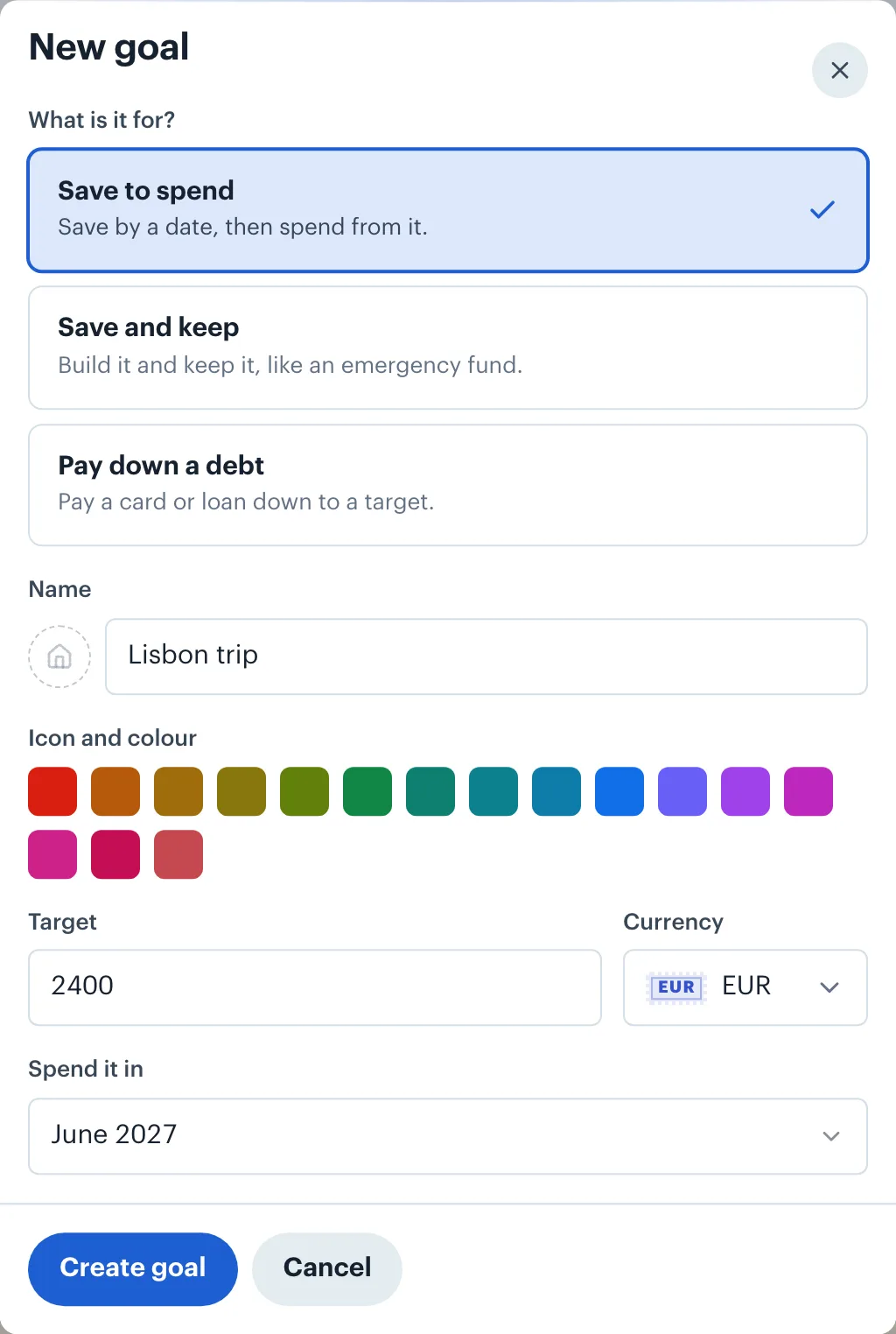
- Save to spend. A trip, a new laptop, a deposit on a flat. You pick the month you'll spend it in, and the goal saves toward it until then. Once it has saved its target it reads Ready to spend, and once you've spent it, Done.
- Save and keep. An emergency fund, or a cushion for irregular income. The target is optional. With no date, you choose how much it sets aside each month.
- Pay down a debt. Link the card or loan, set the balance you want to reach, and the goal tracks the balance as it falls.
The monthly amount is worked out for you
For a goal with a date, the monthly share is what's still to save, split over the months left, this month included. Save €3,000 for a trip next June, starting in December, and the share is €3,000 ÷ 7 months, about €428.57 a month. If you put in more one month, the share for the months after it goes down.
That share becomes the goal's budget each month. A goal always rolls over, so whatever you don't spend stays in it.
Goals in any currency
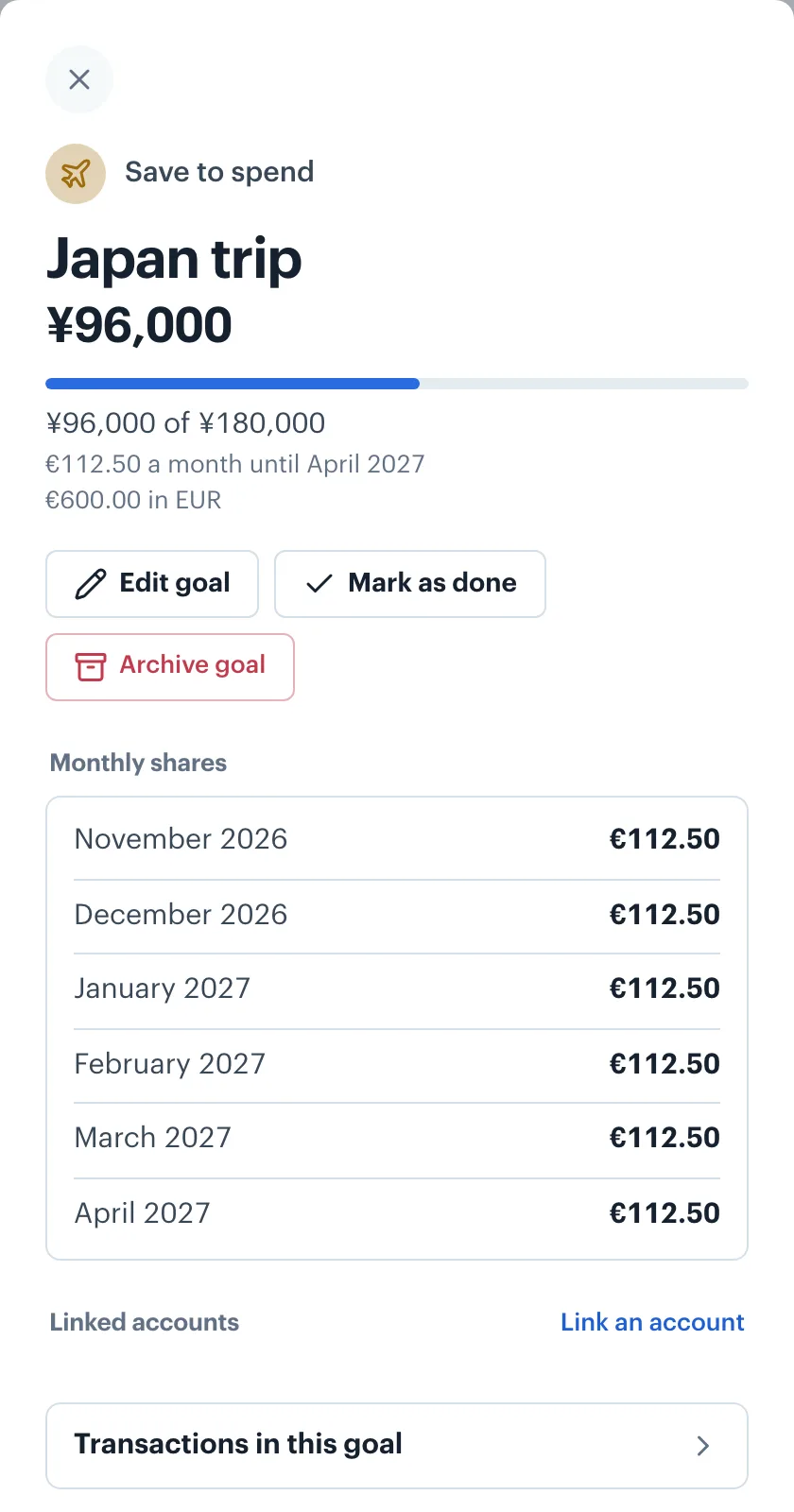
Plenty of goals aren't in your home currency. A trip to Japan is paid in yen; a deposit in another country is paid in that country's money. A goal can be in any currency: the target stays in yen, progress shows in yen, and your home-currency figure sits underneath.
Each month's share converts at that month's exchange rate, so a goal saved in a foreign currency keeps pace as the rate moves. When a rate isn't available yet, the goal shows in your home currency and sets no share until it is, rather than guessing.
Where the money sits
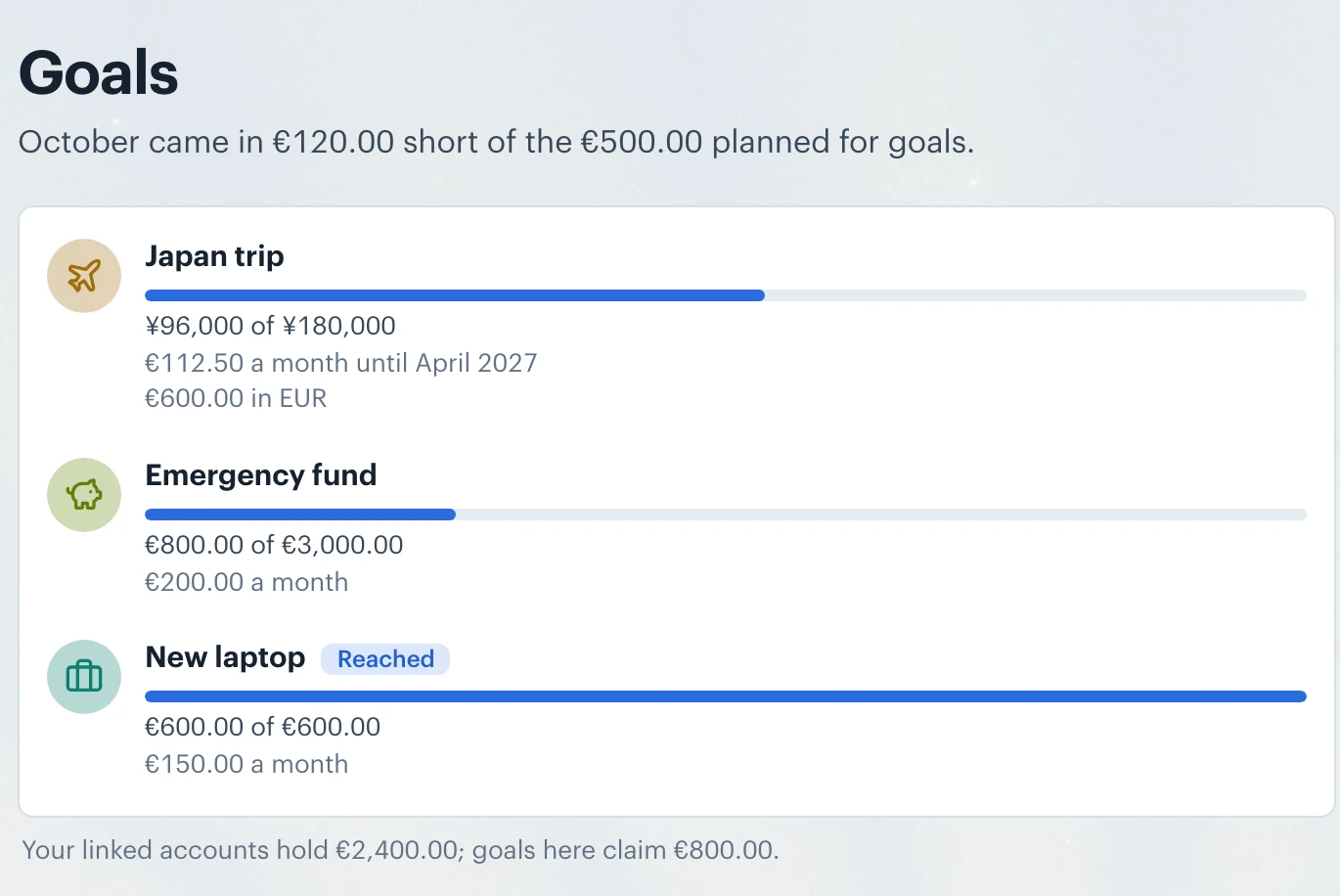
You don't have to move money anywhere to use goals. Progress is what the goal holds in your budget. If you keep the money in a savings account, link it to the goal: several goals can share one account, and the Goals screen shows whether the account holds what your goals claim.
If a month's income, after your other spending, didn't cover what you planned for goals, the Goals screen says so, for example "October came in €200.00 short of the €900.00 planned for goals". Nothing is moved or taken back: you decide what to do about it.
Yearly bills you already set aside each month show on the Goals screen too, with how much is set aside and when each is due.
Plan styles: 50/30/20, zero-based and more
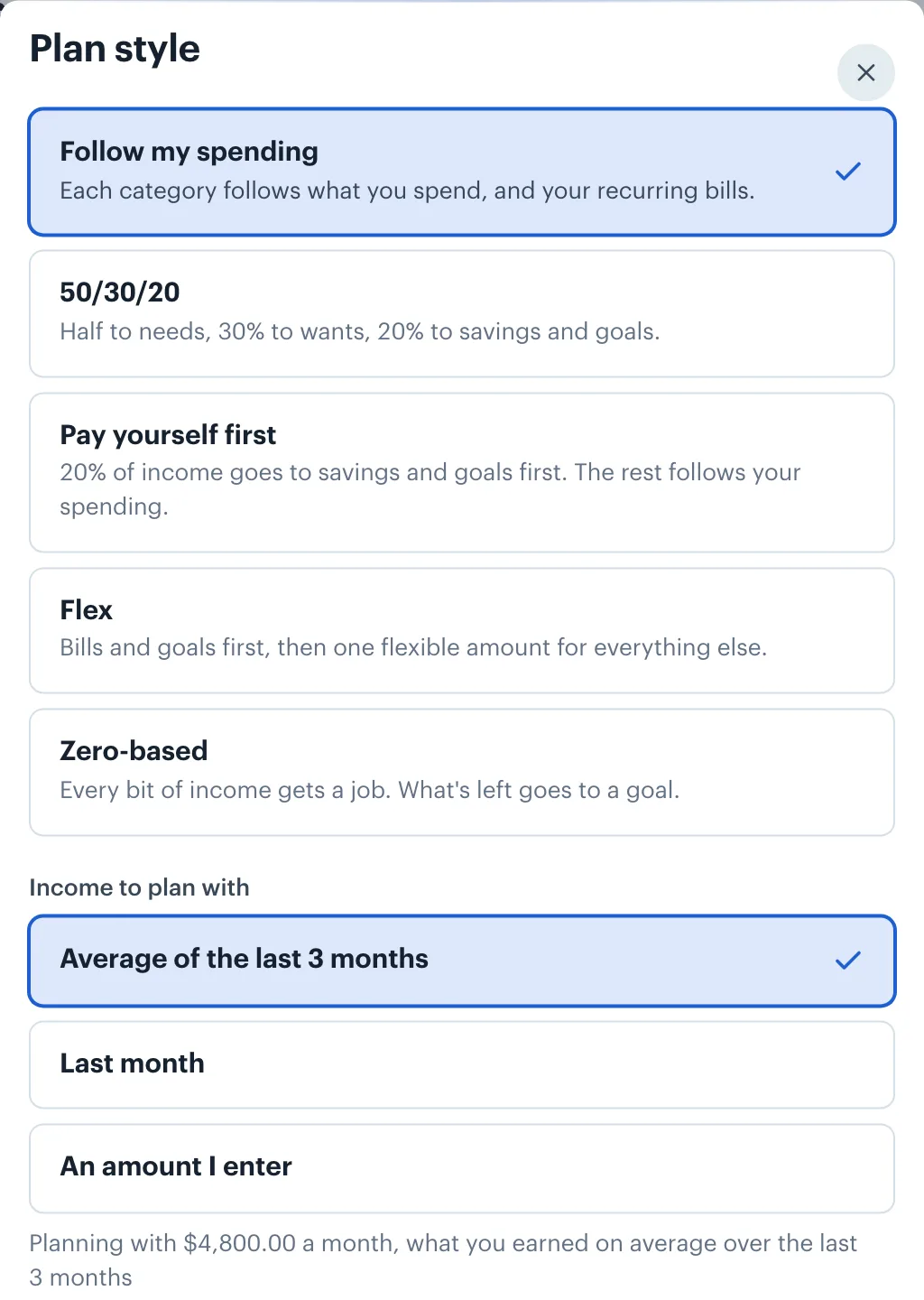
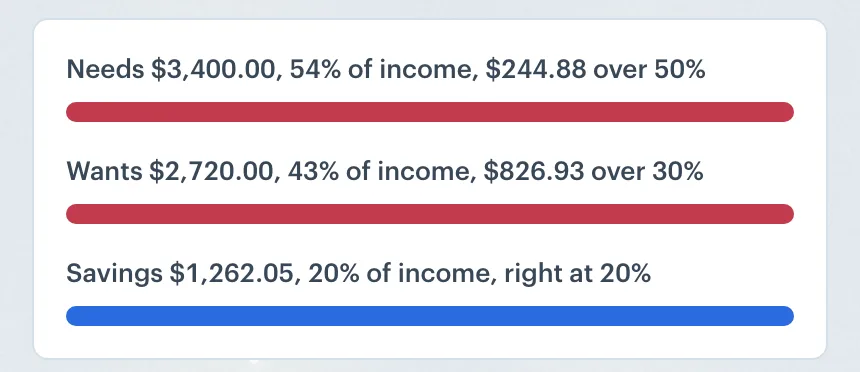
Goals come with plan styles, which decide how your budget is split:
- 50/30/20: half to needs, 30% to wants, 20% to savings and goals.
- Pay yourself first: 20% of income goes to savings and goals first.
- Flex: bills and goals first, then one flexible amount for everything else.
- Zero-based: every bit of income gets a job, and what's left goes to a goal.
Or keep the default, where each category follows what you actually spend. A style shows how far each bucket is from its share and funds your goals; it doesn't rewrite your other categories. If you want one category set by a rule, like 10% of income, you can do that on its own line.
Try it
Open Goals in the app and choose Add a goal. Goals is on the web now; the iOS and Android apps get it in their next update. The Saving for Goals help article covers every detail.
 Borderless Budget
See your month in one currency
Connect your accounts in each country you bank in, and Borderless Budget shows the month in your home currency, every original amount kept. Borderless Budget has a 30-day free trial, then costs $14.99 a month or $109 a year, billed in USD, with every feature and up to 10 connected banks included.
Related reading: Budget styles: five ways to plan your month, Budgets in Borderless Budget, How currency fluctuations affect your budget