Follow my spending
Follow my spending: a budget built from what you actually spend
The default. Each category's budget comes from your own recent spending and your recurring bills, and keeps itself current as months close.
6 min readBorderless Budget can plan your month five ways. Each guide explains where a style comes from, who it suits, and how to turn it on, with screenshots of the app.
Follow my spending
The default. Each category's budget comes from your own recent spending and your recurring bills, and keeps itself current as months close.
6 min read50/30/20
Elizabeth Warren and Amelia Warren Tyagi's split of take-home pay: half to needs, 30% to wants, 20% to savings and goals, and how far you are from each.
7 min readPay yourself first
20% of income goes to savings and goals before anything else, and every other category keeps following your spending.
6 min readFlex
Cover your bills, set-aside bills and goals first, then watch one flexible amount for everything else instead of a dozen categories.
6 min readZero-based
Plan income minus every category down to zero, with whatever is left going to a goal you choose. Measured against the income you budget for the month.
7 min read| Style | What it decides | Needs income history | Goals get |
|---|---|---|---|
| Follow my spending | Each category from your own recent spending | No | Their own shares |
| 50/30/20 | Needs, wants and savings against 50%, 30% and 20% of income | Yes | Filled to 20% of income |
| Pay yourself first | 20% of income to savings; the rest follows spending | Yes | Filled to 20% of income |
| Flex | One flexible amount after bills and goals | Yes | Their own shares, first |
| Zero-based | Budgeted income minus every line, down to zero | No, it uses the income you budget | One goal takes what's left |
Open Budgets and choose Plan style: a button in the Categories toolbar on a computer, a row above your categories on a phone. Once a style measures something, its plan sits in the Left to spend card at the top of Budgets, and Change plan there opens the same sheet. A style saves as soon as you pick it, and you can switch whenever you like. Rules you've added to single categories, such as 10% of income to a goal, stay when you switch.
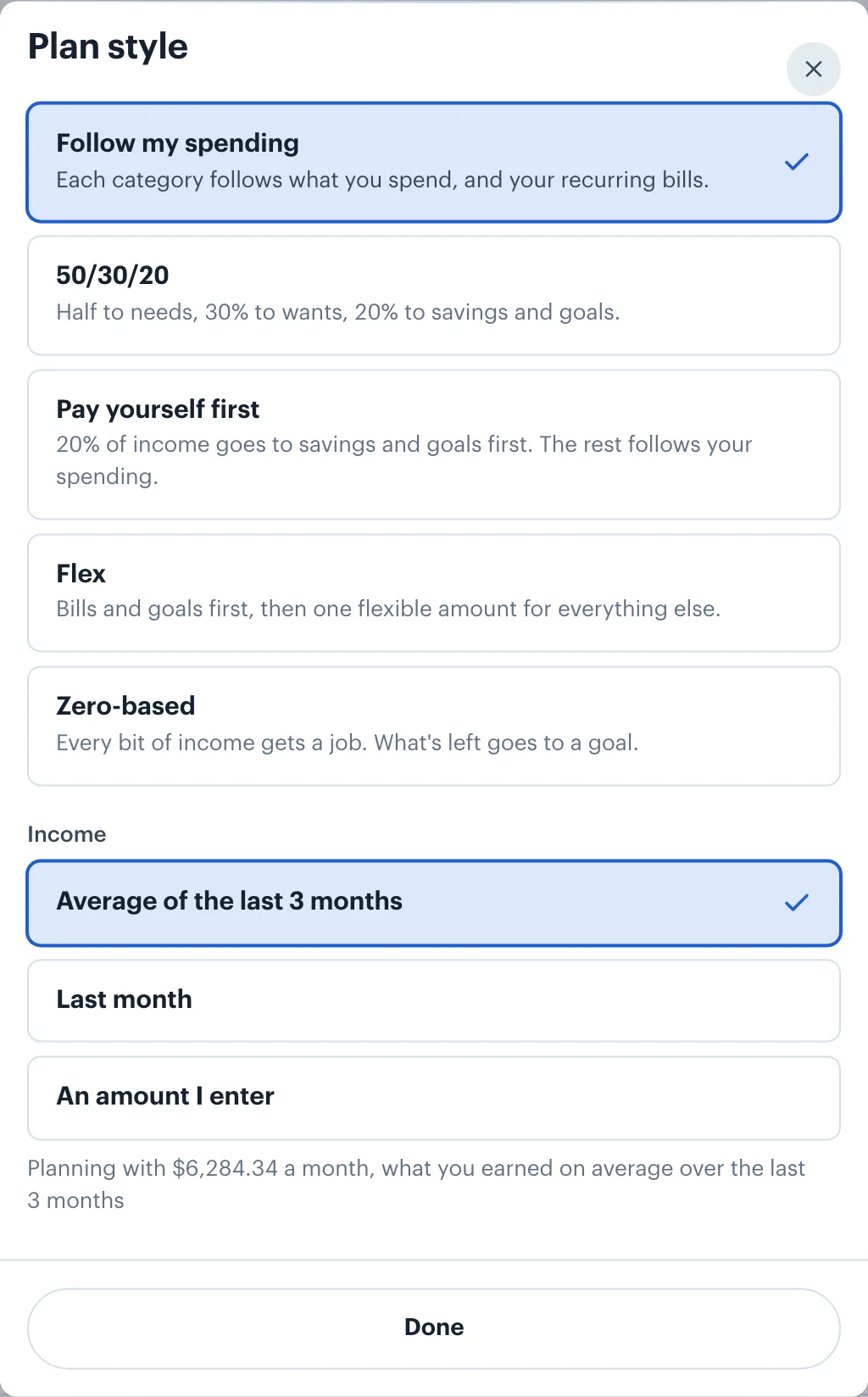
If you're new, start with Follow my spending. It needs no decisions and shows what a normal month costs you. Once you know that, pick the style that matches what you want to change: a quick proportion check (50/30/20), a savings habit (pay yourself first), fewer numbers to watch (Flex), or full control (zero-based).
Every style works with goals in any currency and with income paid in more than one. Transactions are converted to your home currency at the rate for their date, and goals at each month's rate. The help center has the reference versions: Plan Styles and Rules and Saving for Goals.
 Borderless Budget
Connect your accounts in each country you bank in, and Borderless Budget shows the month in your home currency, every original amount kept. Borderless Budget has a 30-day free trial, then costs $14.99 a month or $109 a year, billed in USD, with every feature and up to 10 connected banks included.