
Related articles
Track your own money with Borderless Budget
Every account stays in its own currency, and every total adds up in yours. The first 30 days are free.
Get startedSteps to bring your PocketSmith transactions into Borderless Budget from PocketSmith's Export data CSV, each account in its own currency.
Every account stays in its own currency, and every total adds up in yours. The first 30 days are free.
Get startedSteps to bring your PocketSmith transactions into Borderless Budget. Each PocketSmith account becomes a manual account here, in the currency PocketSmith recorded, or joins one you already have.
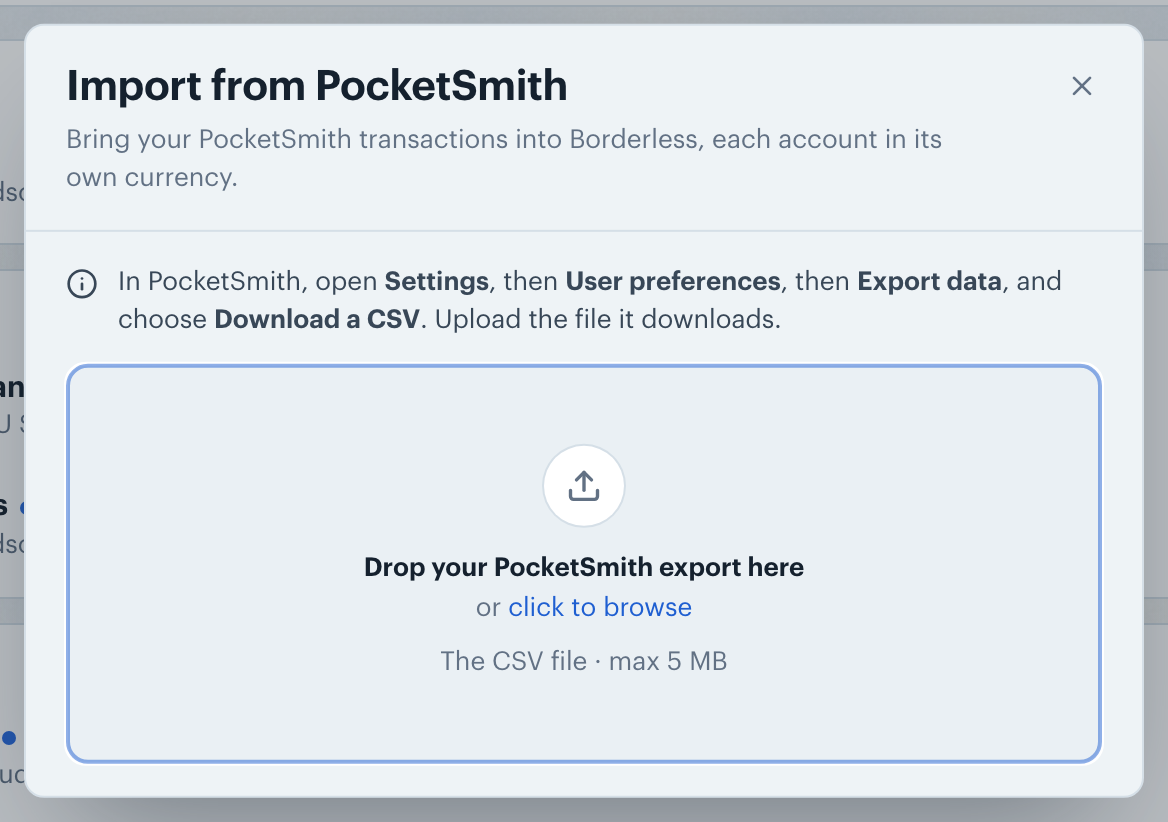
In PocketSmith, open Settings, then User preferences, then Export data, and choose Download a CSV. PocketSmith downloads one CSV file with the transactions of all your accounts.
Use that file. The CSV or Excel export on PocketSmith's Transactions page has different columns, and the import says so if you upload it.
On the Transactions screen, click the More actions button (the ⋯ icon in the toolbar), choose Import from…, then PocketSmith. Drop the CSV into the dialog, or click to browse for it. On a phone, tap +, then Import from another app.
The review lists each PocketSmith account with its currency under its name and how many transactions it brings in. PocketSmith records a currency on every transaction, so there is nothing to pick. If one PocketSmith account holds transactions in two currencies, it comes over as two accounts, one per currency.
For each account, keep it ticked to import it, and pick where it goes under Import into: a new account, or one of your manual accounts. Then click Import.
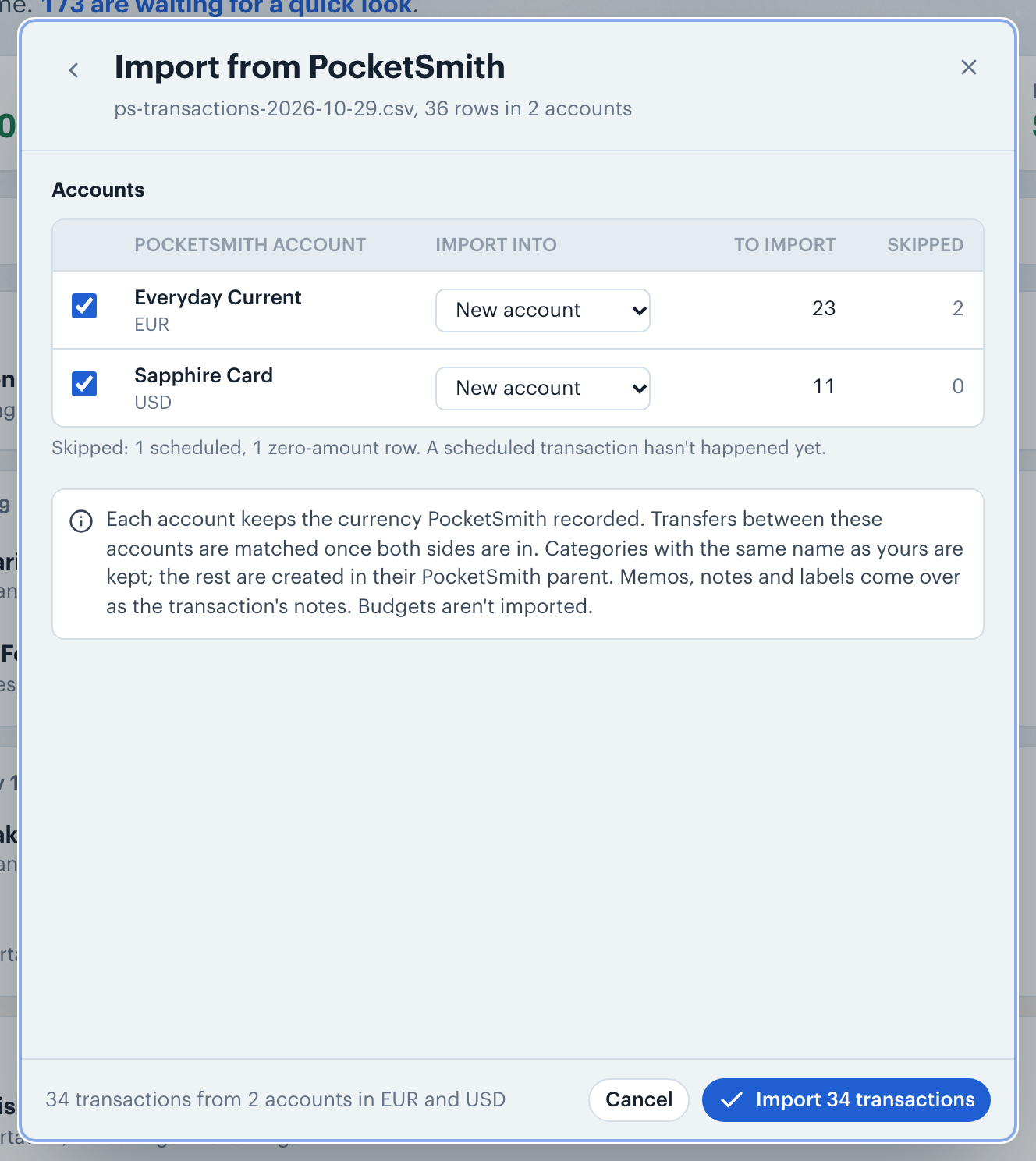
Each transaction keeps its PocketSmith category. A category with the same name as one of yours goes into yours. Any other gets a new category with that name, inside a group named after its PocketSmith parent category. A top-level PocketSmith category, which has no parent, is created without a group.
A transaction's memo and note become its notes here, and its labels follow as hashtags, like #coffee.
Note: Zero-amount and future-dated transactions are skipped. Transactions in PocketSmith's Transfers category come over uncategorized and are matched once both sides are in. Budgets aren't imported.
👋 Still have questions? Email [email protected].