
Related articles
Track your own money with Borderless Budget
Every account stays in its own currency, and every total adds up in yours. The first 30 days are free.
Get startedSteps to bring your YNAB transactions into Borderless Budget from YNAB's plan export.
Every account stays in its own currency, and every total adds up in yours. The first 30 days are free.
Get startedSteps to bring your YNAB transactions into Borderless Budget. Each YNAB account becomes a manual account here, or joins one you already have.
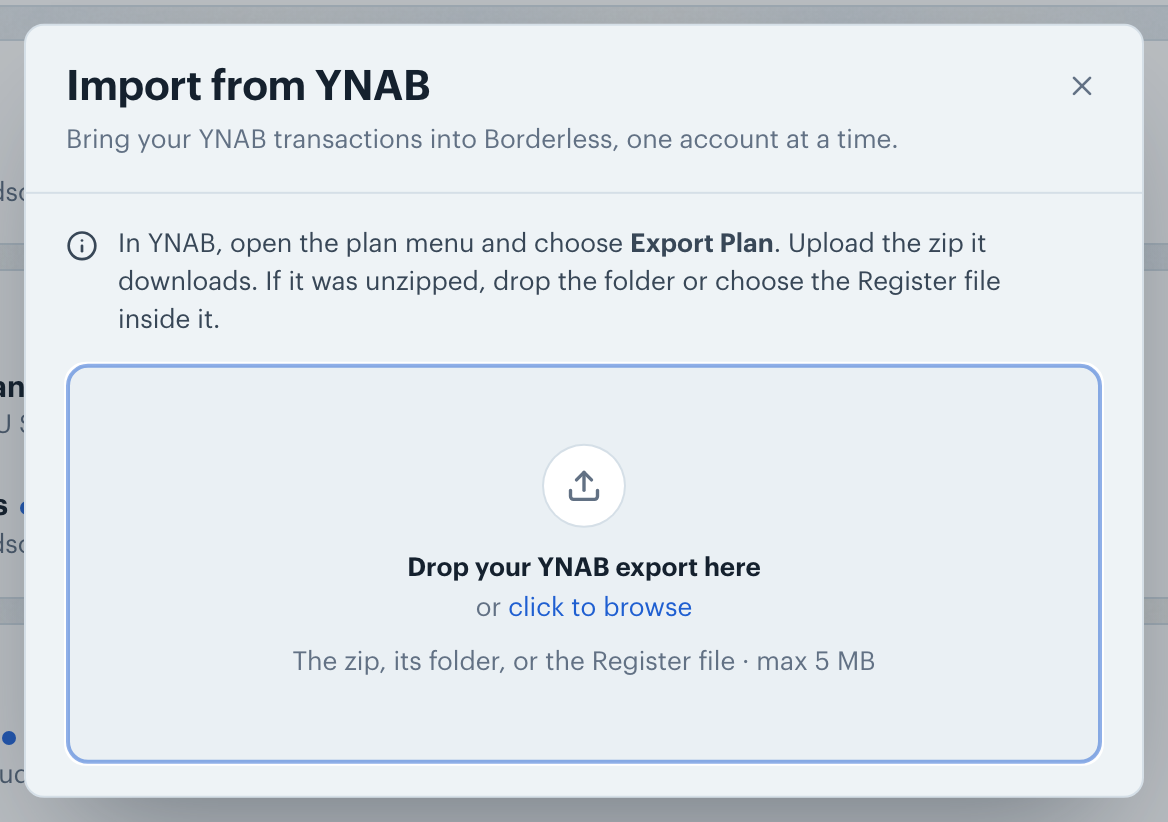
In YNAB, open the plan menu and choose Export Plan. YNAB downloads a zip holding two files: the Register (your transactions) and the Plan (your budget amounts). Borderless Budget reads the Register.
On the Transactions screen, click the More actions button (the ⋯ icon in the toolbar), choose Import from…, then YNAB. Drop the zip into the dialog. If your browser unzipped it (Safari does), drop the folder it made, or choose the Register file inside it.
The review lists each YNAB account with how many transactions it brings in. For each account, keep it ticked to import it, and pick where it goes under Import into: a new account, or one of your manual accounts.
YNAB doesn't say which currency a plan uses. Unless its amounts carry a symbol only one currency uses, like €, pick the Currency: a $ could be US, Canadian or Mexican dollars. If your dates could read as day/month or month/day, pick the Date format too. Then click Import.
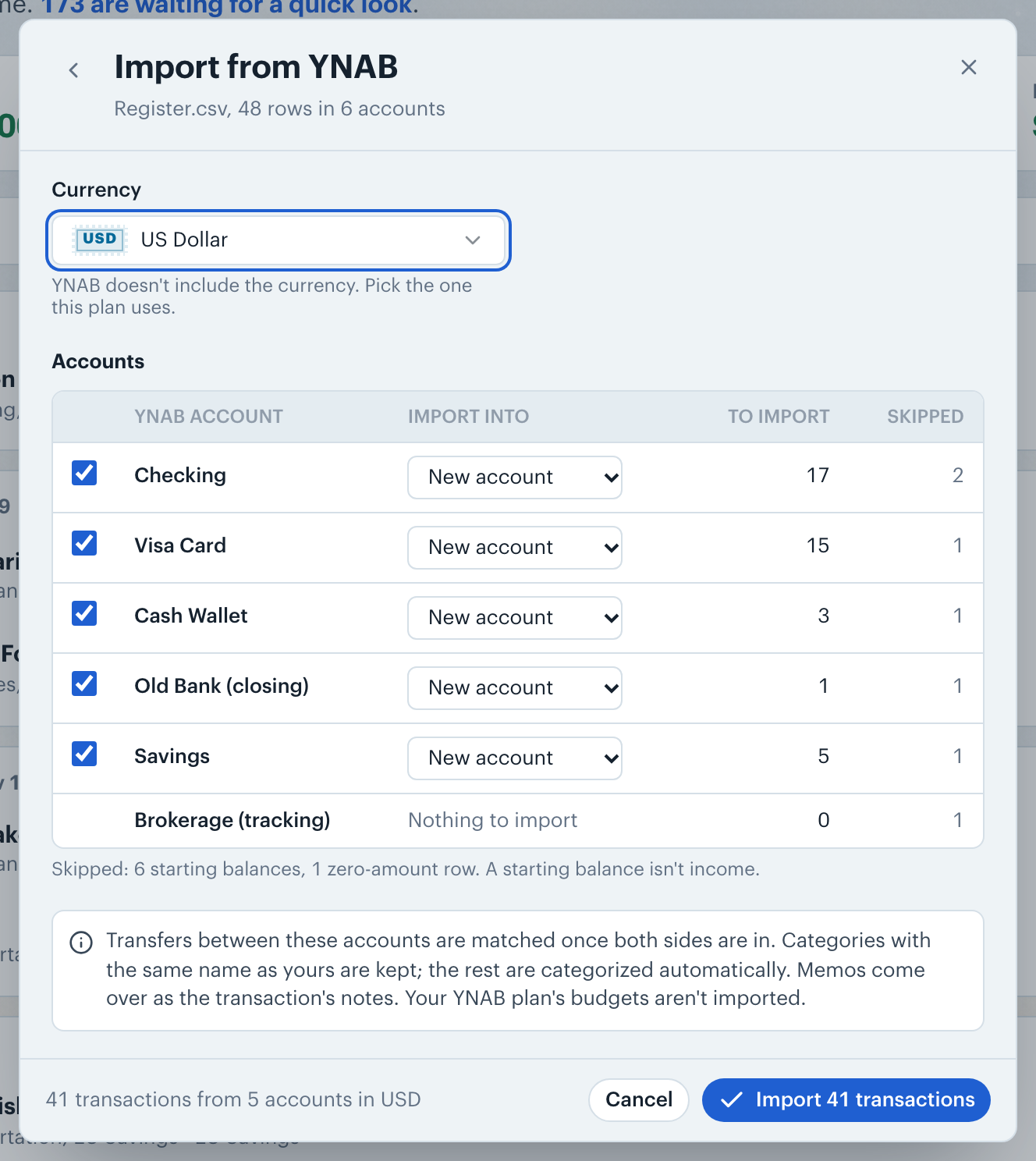
Each transaction keeps its YNAB category. A YNAB category with the same name as one of yours goes into yours. Any other gets a new category with that name, inside a group named after its YNAB category group. You can rename, regroup or archive them afterwards on the Budgets screen.
Note: Starting balances, scheduled transactions and zero-amount rows are skipped. Transfers between your YNAB accounts are matched once both sides are in. Memos come over as the transaction's notes, without the "Split (1/3)" YNAB puts on split parts. Your YNAB budgets aren't imported.
👋 Still have questions? Email [email protected].