
Related articles
Track your own money with Borderless Budget
Every account stays in its own currency, and every total adds up in yours. The first 30 days are free.
Get startedSteps to create a manual account and keep its balance current.
Every account stays in its own currency, and every total adds up in yours. The first 30 days are free.
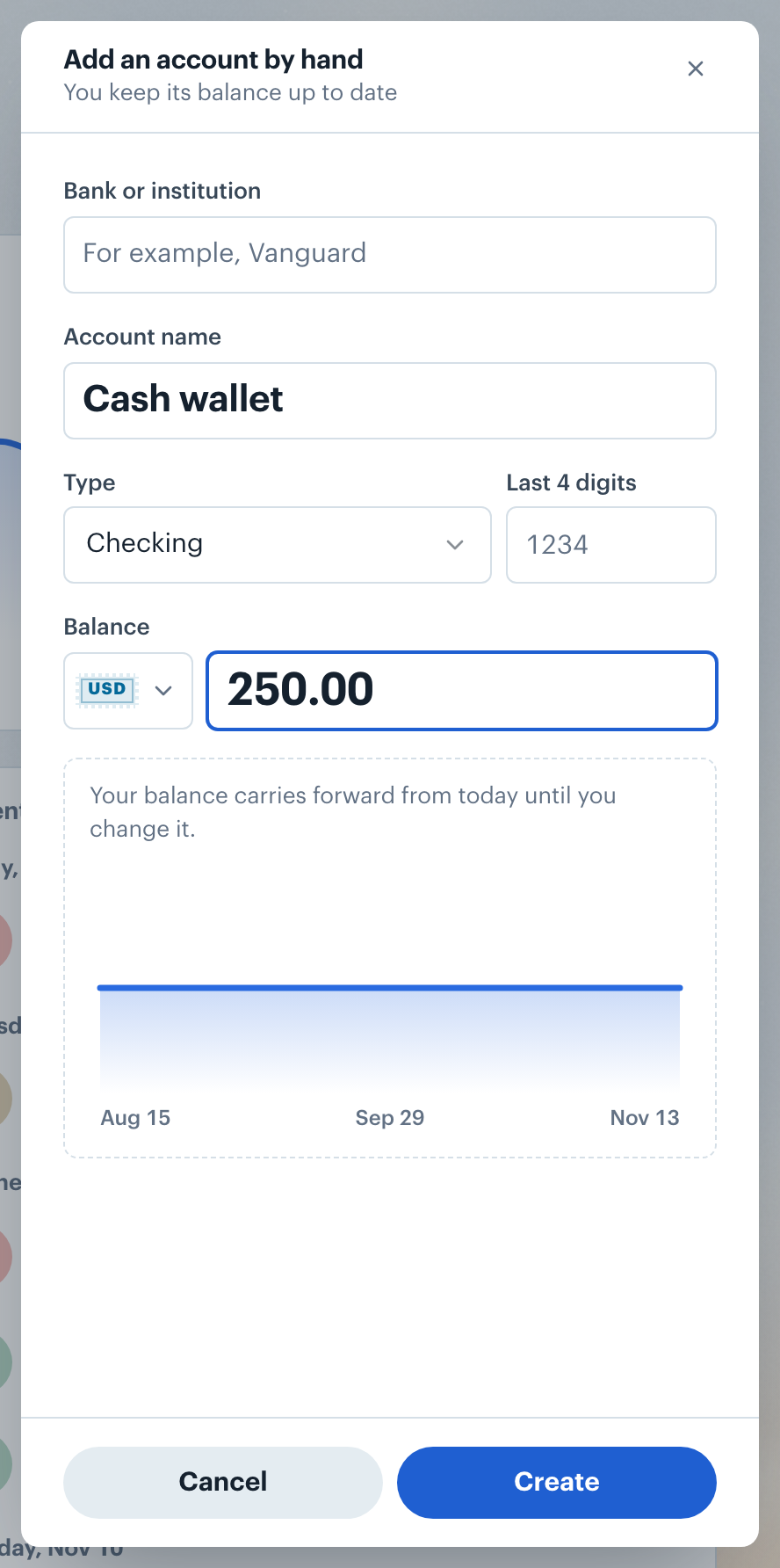
Get startedBorderless Budget lets you create a manual account for anything we do not connect to: a bank outside our coverage, cash on hand, or an asset you want counted in your net worth.
The new account appears under Added by hand in the account list, and its balance counts toward your net worth. Leave Bank or institution blank if the account is not held anywhere, such as a cash wallet; you can change it later from the account page.
Note: The currency is fixed once the account is created.
The balance you enter is treated as correct as of that day. Transactions you add or import dated on or after that day adjust the balance automatically; older transactions do not change it.
To restate the balance at any time, open the account page and open the Edit account sheet (Account options, then Name), then type a new value in Balance. If you have not set a balance yet, the account page shows Set balance, which opens the same sheet.
Have a transaction file instead? A file import can also create a manual account and bring its transactions in at the same time. See Importing Transactions from a CSV.
A manual savings account can back one or more goals. Open the goal and link the account under Linked accounts, and the Goals screen compares what the account holds with what its goals claim.
Saving toward something? See Saving for Goals.
👋 Still have questions? Email [email protected].