
Related articles
Track your own money with Borderless Budget
Every account stays in its own currency, and every total adds up in yours. The first 30 days are free.
Get startedThe tax reports are records of your accounts to hand your tax preparer: the FBAR, Form 8938, realized gains and the income summary, gathered on one Tax reports page, with the answers they use kept in Tax settings.
Every account stays in its own currency, and every total adds up in yours. The first 30 days are free.
Get startedBorderless Budget's tax reports gather the figures someone filing in more than one country hands their tax preparer, taken from the accounts you've connected or entered. They are records only: they never work out tax owed, an estimate or a credit, and nothing is filed for you.
On the Accounts screen, open the … menu at the top right. Its last section links Tax reports and Tax settings, whatever countries your accounts are in.
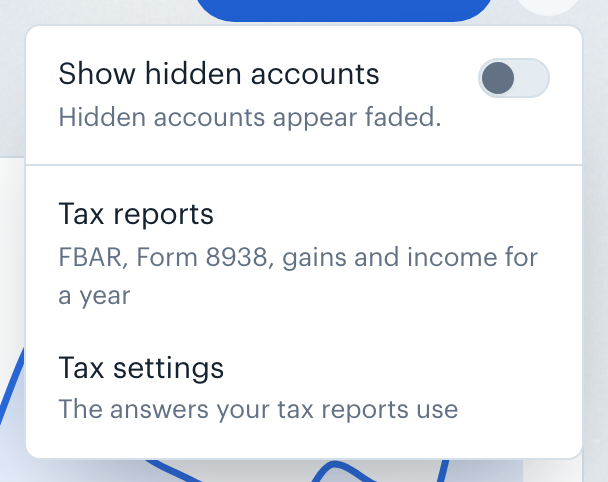
Both are also in Settings, below the tabs (at the end of More settings on a phone). Or press ⌘K (Ctrl+K on Windows) and type "tax", or the name of a form such as "FBAR".
Every tax page starts with a trail such as Reports › Tax › FBAR. Click Tax in it to open the Tax reports page, which gathers everything in one place:
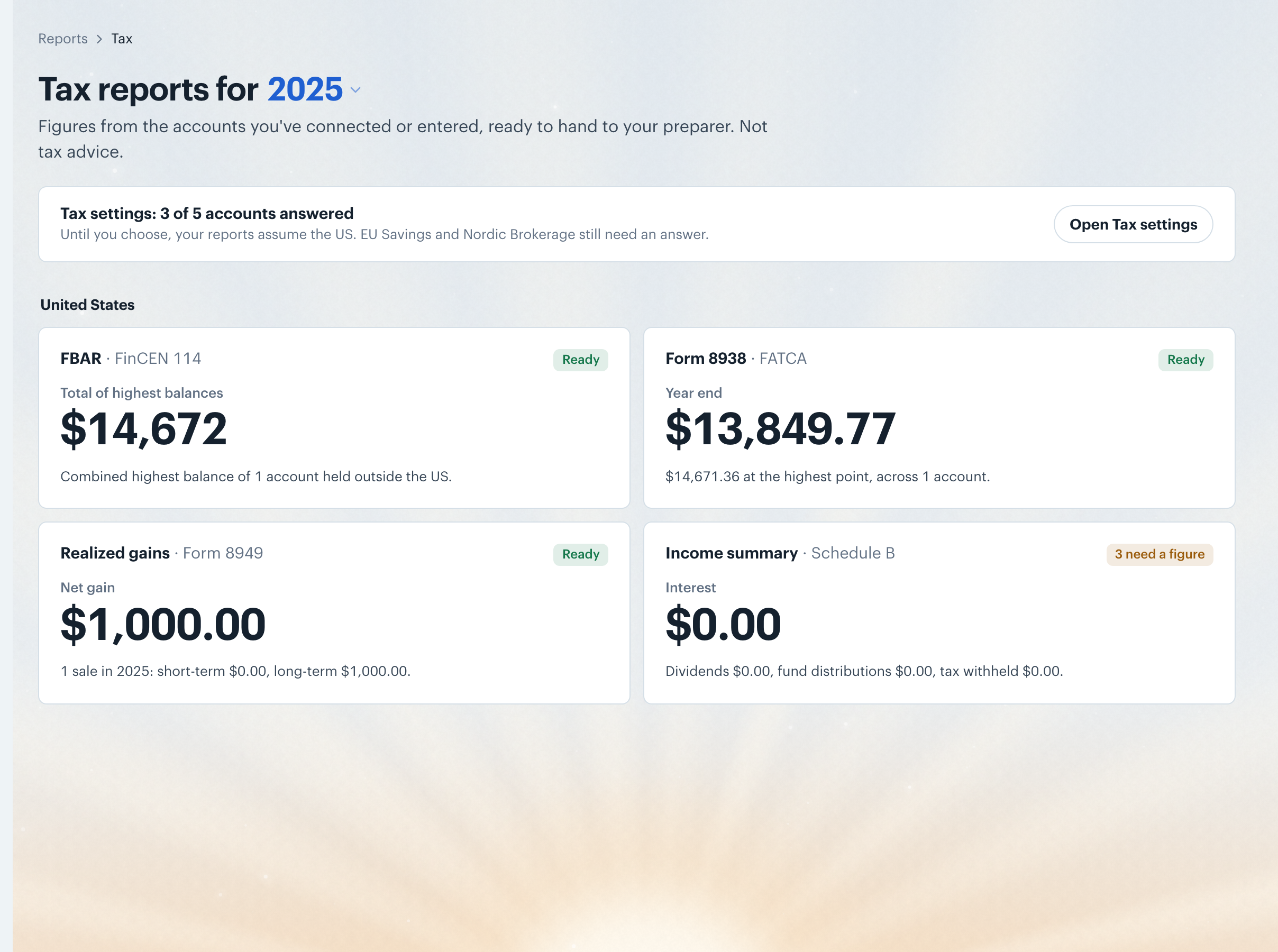
Each report has the same layout:
Each report shows the figures your accounts hold. It doesn't tell you whether you need to file.
Tax settings holds the answers every report reads: the countries you file taxes in, then for each account only what those countries' reports need, such as whether it's held outside the US, who owns it and its tax wrapper. Each answer saves as you go, and other members of your budget can't see your answers.
Want to fill it in? See Answering Your Tax Settings.
The reports are part of a Borderless Budget subscription. Without one, the Tax reports page says so above the cards, with a Subscribe button, and each card reads Part of your subscription. Tax settings stays open either way, so you can answer its questions first.
👋 Still have questions? Email [email protected].