
Related articles
Track your own money with Borderless Budget
Every account stays in its own currency, and every total adds up in yours. The first 30 days are free.
Get startedSteps to ask another member of a shared budget to look at a transaction, find what you were asked to review, and send a reviewed transaction back with Mark not reviewed.
Every account stays in its own currency, and every total adds up in yours. The first 30 days are free.
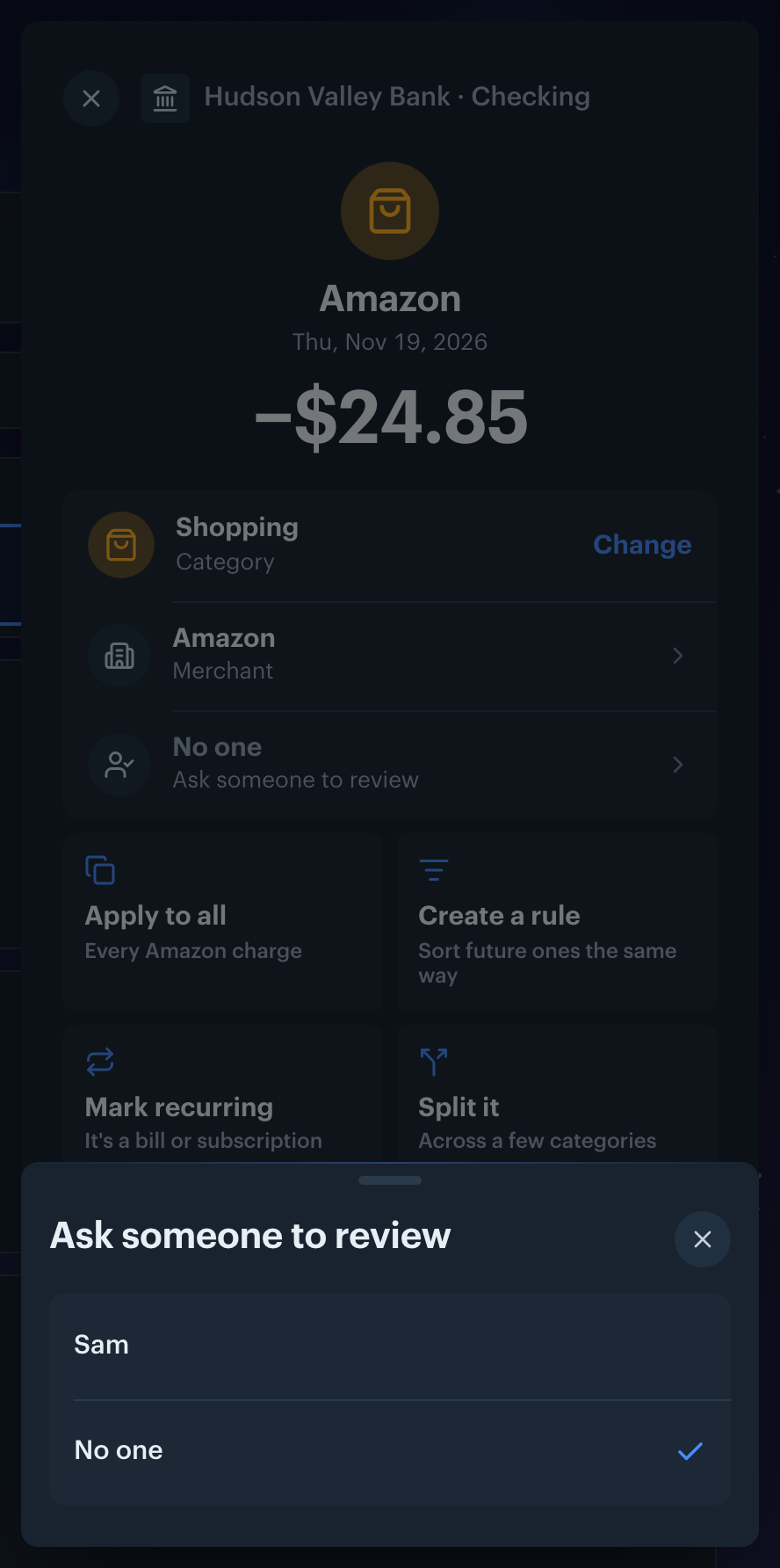
Get startedSteps to ask another member of a shared budget to look at a transaction in Borderless Budget. A review request is a request, not a handover: every member can still edit or review the transaction.
Members see each other by name. Open Settings and enter your name in Name on the Profile tab. A member with no name shows as their email.
When you invite someone, you can type their name next to their email. It becomes their name when they join, unless they already set one themselves.
Want to invite someone? See Inviting Household Members.
To ask about several at once, select them and pick Assign to… in the bar at the bottom. In the list, an assigned row shows the member's initial, or "You" when the request is yours.
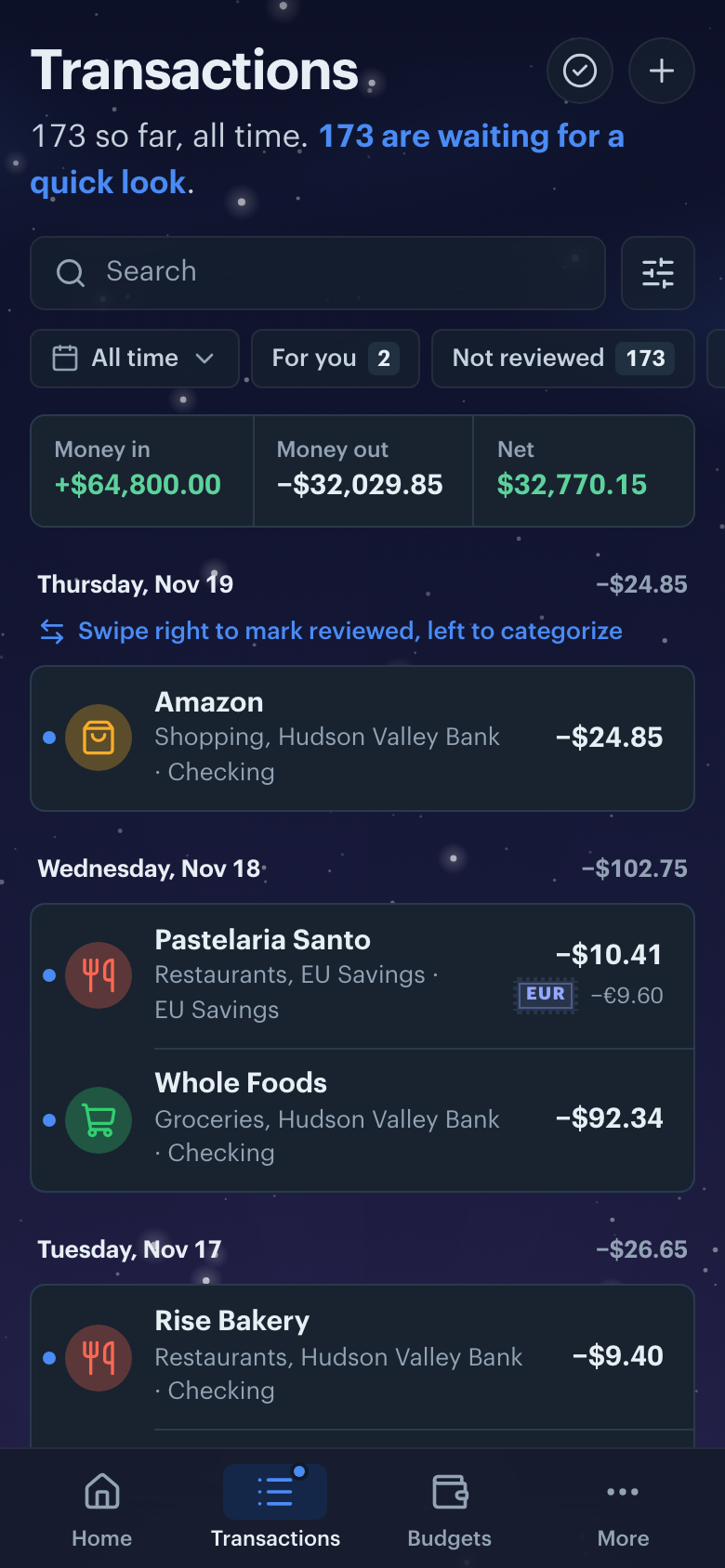
While something waits for you, a dot shows on Transactions in the navigation, and Home's Needs you lists Asked to review with the count. Click it to see only those transactions. On a phone, the For you chip under the search does the same.
The request closes when anyone reviews the transaction. For one with no category, picking a category reviews it.
About 15 minutes after someone asks, you get one push notification and one email covering everything they asked in that sitting. After that you get at most one an hour, and none between 21:00 and 08:00 in your time zone.
To stop the emails, turn off Review request emails under Email notifications in Settings. In the apps, the Review requests switch under On this phone turns off the push notification. The dot and the Home item always show.
Want to change other emails? See Notification Preferences.
To put a reviewed transaction back in the review queue without asking anyone, open it and click Mark not reviewed. For several, select them and pick Mark not reviewed in the bar. It shows only on a reviewed transaction.
👋 Still have questions? Email [email protected].