
Related articles
Track your own money with Borderless Budget
Every account stays in its own currency, and every total adds up in yours. The first 30 days are free.
Get startedSteps to bring your Monarch Money transactions into Borderless Budget from Monarch's transactions download, giving each account its real currency.
Every account stays in its own currency, and every total adds up in yours. The first 30 days are free.
Get startedSteps to bring your Monarch transactions into Borderless Budget. Each Monarch account becomes a manual account here, in the currency you give it, or joins one you already have.
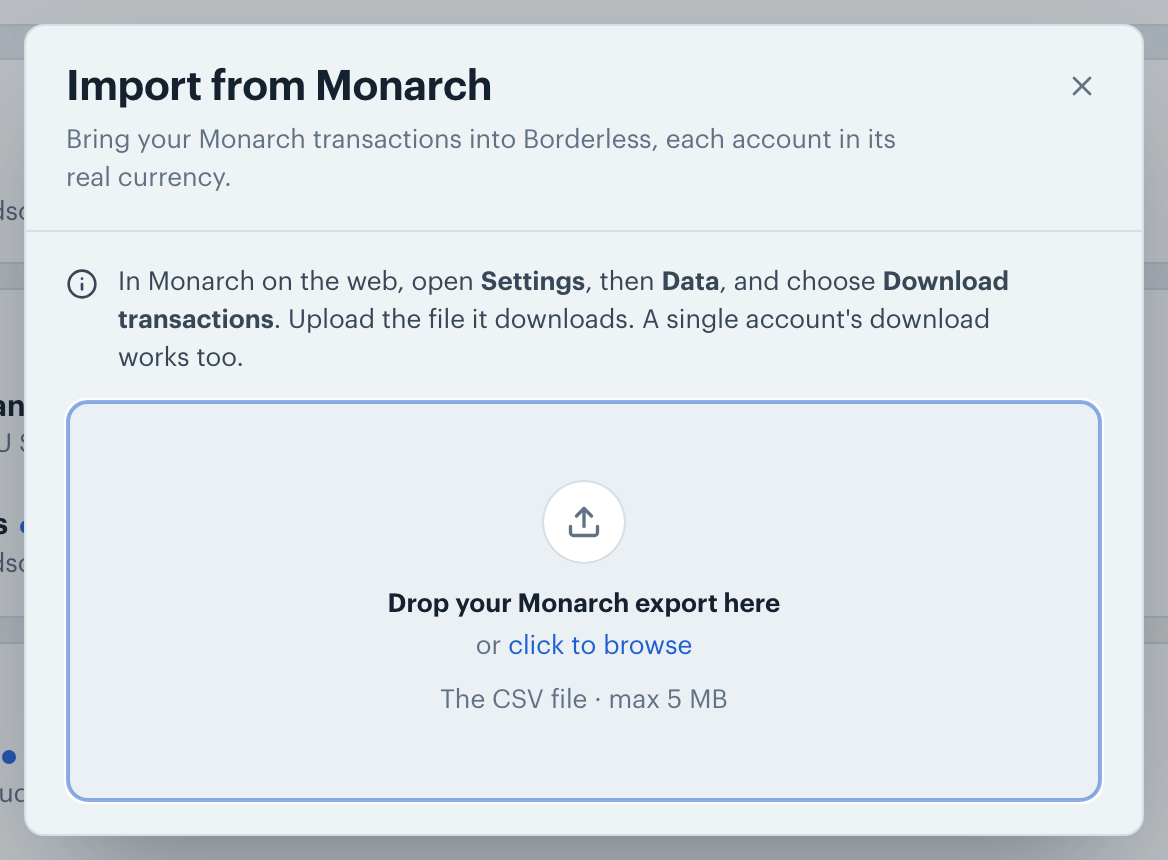
In Monarch on the web, open Settings, then Data, and choose Download transactions. Monarch downloads one CSV file with the transactions of all your accounts.
To bring a single account, open it under Accounts in Monarch, choose Edit, then Download transactions. The CSV from Monarch's Transactions page works too, but it leaves out hidden transactions.
On the Transactions screen, click the More actions button (the ⋯ icon in the toolbar), choose Import from…, then Monarch. Drop the CSV into the dialog, or click to browse for it. On a phone, tap +, then Import from another app.
Monarch's file has no currency in it, so nothing is picked for you. Choose one under Currency for the whole file: the one most of your Monarch accounts use. Then change the currency under any account that's in another one, like a euro account Monarch showed in dollars.
For each account, keep it ticked to import it, and pick where it goes under Import into: a new account, or one of your manual accounts. Then click Import.
Monarch's file names an account only by its name. Two Monarch accounts with the same name come over as one, so rename one in Monarch before you download.
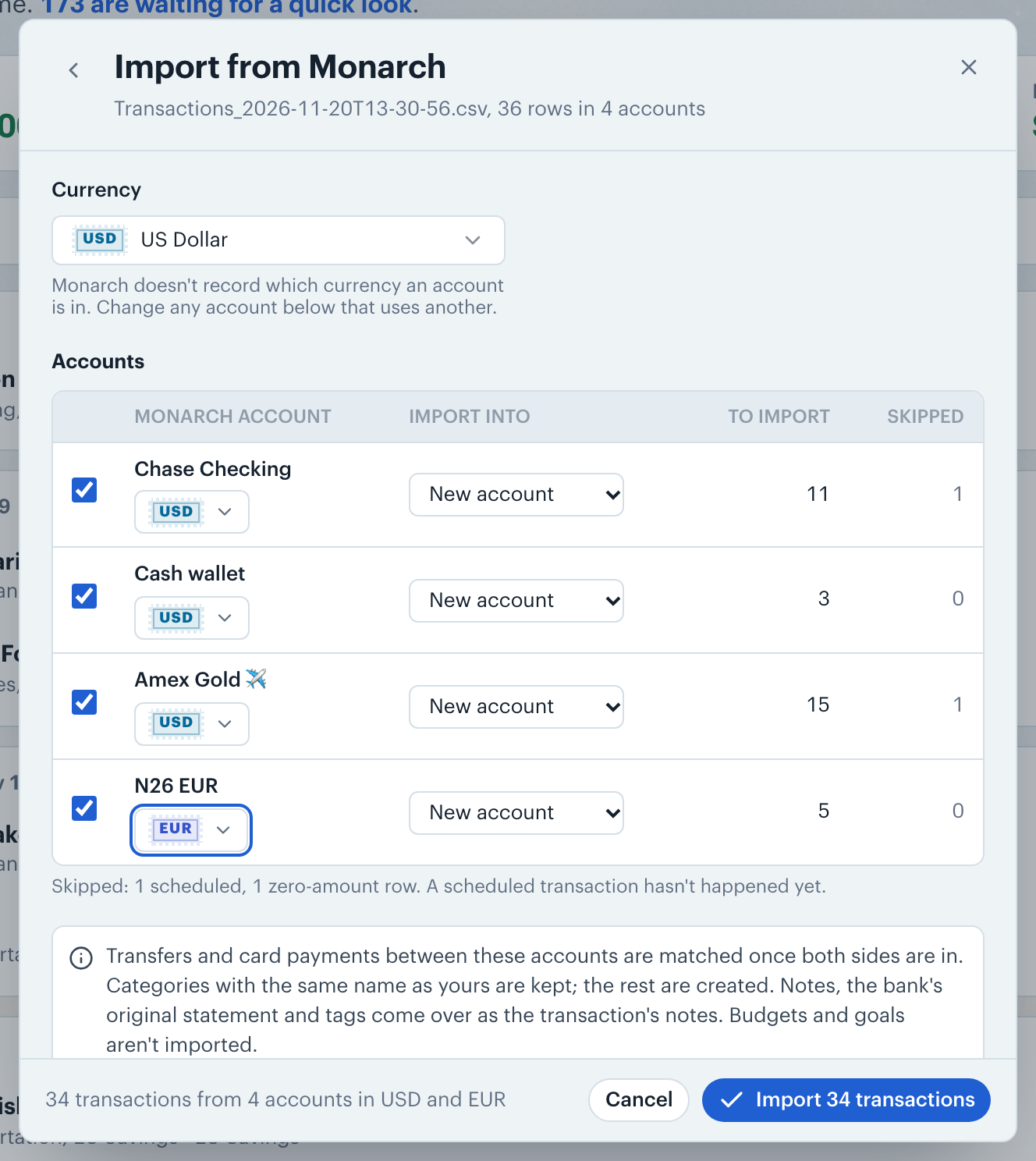
Each transaction keeps its Monarch category. A category with the same name as one of yours goes into yours. Any other gets a new category with that name.
A transaction's notes and the bank's original statement become its notes here, and its tags follow as hashtags, like #travel. A split comes over as its parts, each with its own category.
Note: Pending, zero-amount and future-dated transactions are skipped. Transactions in Monarch's Transfer, Credit Card Payment and Balance Adjustments categories come over uncategorized, and transfers are matched once both sides are in. Investment trades in Buy and Sell come over as Internal Transfer, so they never count as spending or income. A category you added to Monarch's Transfers group yourself comes over by name, because the download doesn't say which group a category is in. Budgets and goals aren't imported.
👋 Still have questions? Email [email protected].