Budget styles · Updated 20 November 2026 · 6 min read
What it is
Most budgets save whatever is left at the end of the month, and often nothing is. Paying yourself first turns that around: a fixed share of income goes to savings as it arrives, and the month is lived on the rest. You don't plan every category. You make one decision, how much to save, and protect it.
Where it comes from
The idea is old. George S. Clason's The Richest Man in Babylon, published in 1926, has its rich man Arkad advise saving a tenth of what you earn: "For every ten coins thou placest within thy purse take out for use but nine."1 Borderless Budget's version asks for 20%, the same savings share as 50/30/20, without the rules about needs and wants.
Who it suits
- People for whom "save what's left" never works.
- Anyone who wants a savings habit without a detailed budget. The rest of the budget still follows your spending, so there's nothing else to set up.
- People saving toward something specific, since the 20% goes straight into your goals.
Set it up in Borderless Budget
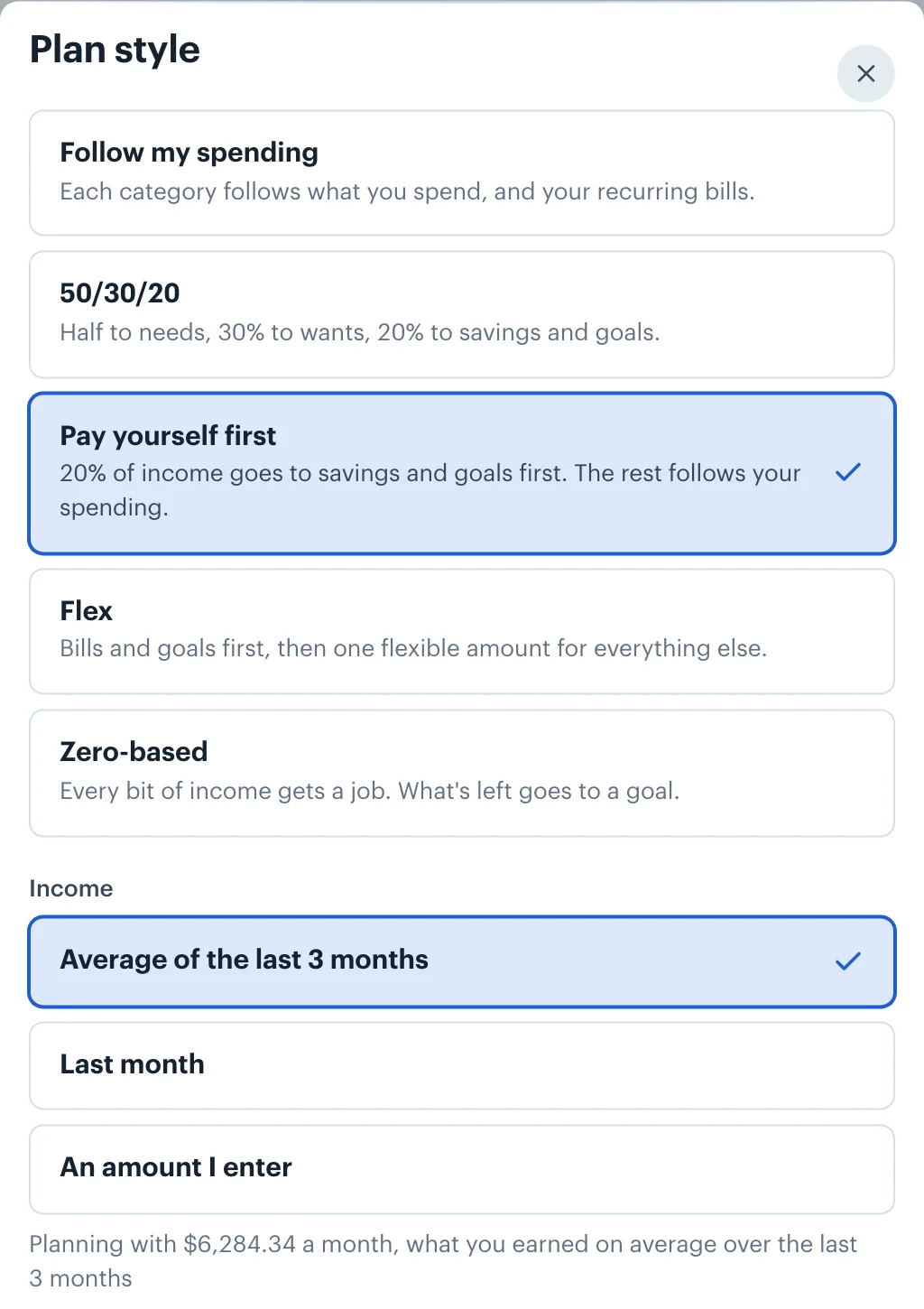
1.Open Plan style on Budgets and choose Pay yourself first
The Plan style button sits in the Categories toolbar on a computer, and is a row above your categories on a phone. The style saves as soon as you pick it. It needs income to plan with, so it's unavailable until the app sees a month of income.
2.Pick the income to plan with
Choose the Average of the last 3 months, Last month, or An amount I enter. The 20% is worked out from that figure.
3.Add the goals you're saving toward
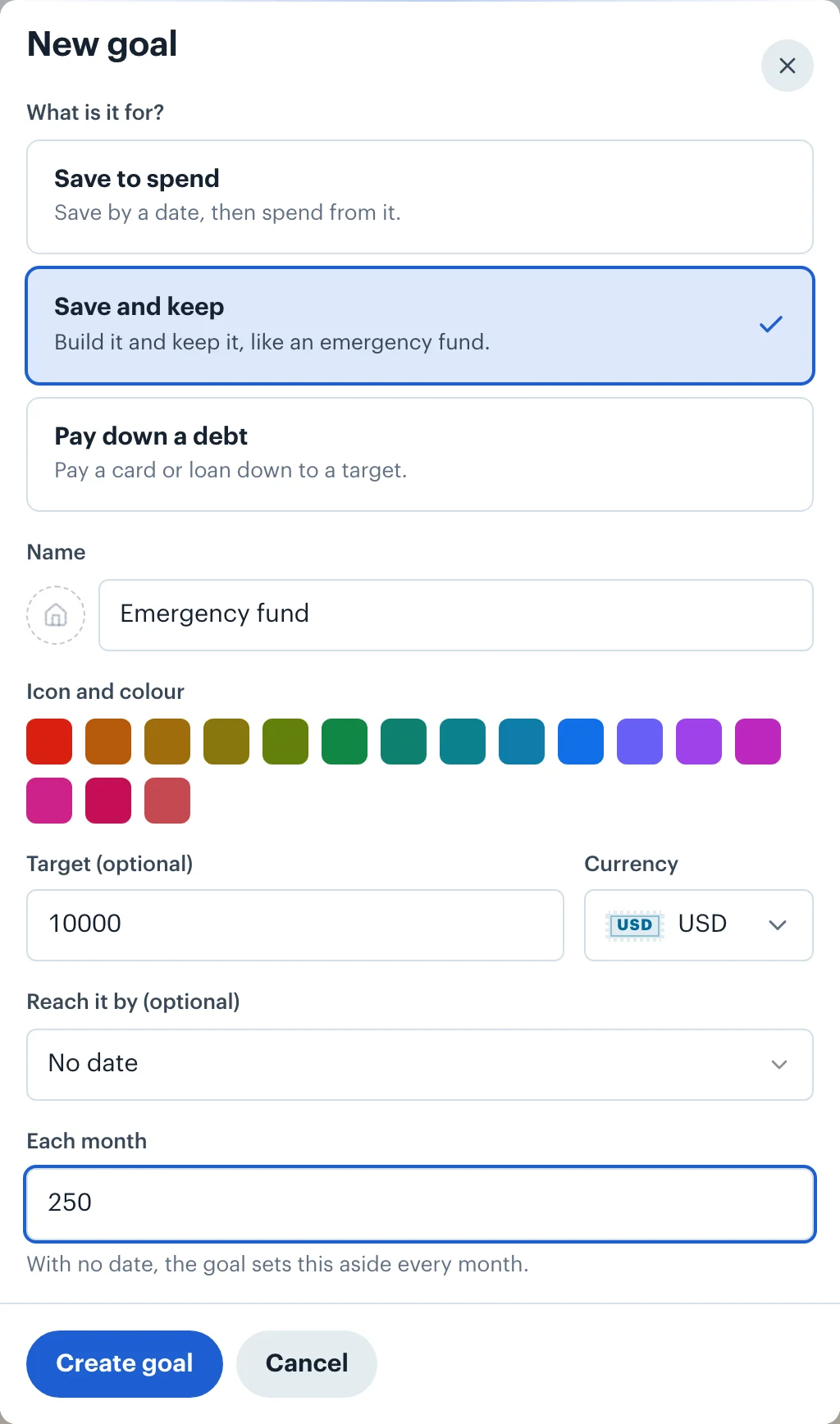
Open Goals and choose Add a goal: a trip by a date, an emergency fund you keep, or a card you're paying down. With no goals yet, Goals also offers starters, such as Emergency fund or A trip, that open the sheet with the name and kind filled in. If you have no goals when you pick the style, it creates an open-ended "Savings" goal so the 20% has a home.
4.Check Savings under Left to spend
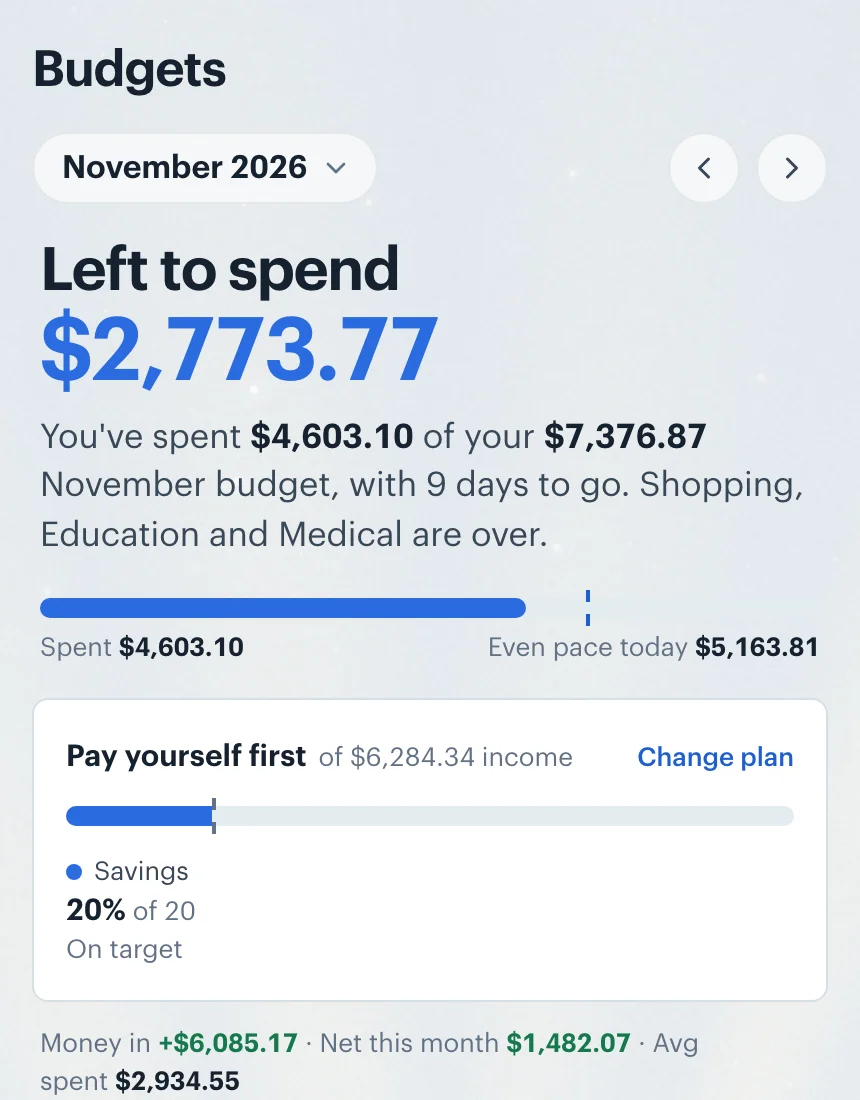
The plan sits in the Left to spend card at the top of Budgets: one bar with a mark at 20%, and under it what your goals get as a share of income, "Savings 20% of 20, On target". Every other category is set the way Follow my spending sets it.
How goals fit in
The 20% is shared between your goals in order. A goal with a date gets its monthly share first: what's still to save, split over the months left. What remains of the 20% is split evenly between the goals with no date. Here the Lisbon trip takes its $331.36 share and the emergency fund and the Savings goal take $462.76 and $462.75. Each goal always rolls over, so whatever isn't spent stays in it.
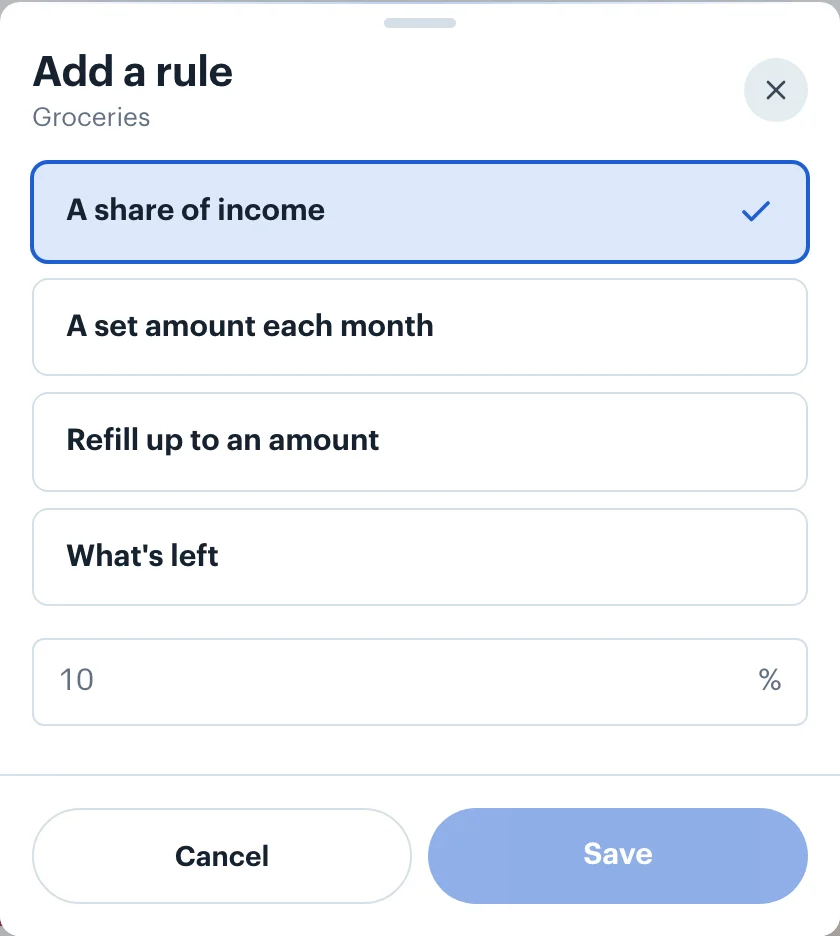
Prefer Clason's tenth, or a different share? Stay on Follow my spending and give a goal its own rule: open the goal's category on Budgets, choose Add a rule, then A share of income and 10%.
Irregular or no income
A share of nothing is nothing, so this style waits for income. With income that comes in lumps, the 3-month average keeps the 20% steady rather than jumping with each payment; An amount I enter lets you save from a figure you know you'll reach. When a month's income, after your other spending, didn't cover what was planned for goals, the Goals screen says so under its total saved, for example "Income covered $700.00 of the $900.00 planned for goals", then "$200.00 short". Nothing is taken back from your goals; you decide what to do.
Money in more than one currency
The 20% is of your income in your home currency, wherever it was paid: here a dollar salary and a euro invoice, each converted at the rate for the day it arrived. Goals can be in any currency. The euro Lisbon trip's share is converted to dollars at each month's rate, so as the rate moves the dollars it needs move too, and when no rate is available yet the goal sets no share rather than guessing. Saving for Goals has the details.
 Borderless Budget
See your month in one currency
Connect your accounts in each country you bank in, and Borderless Budget shows the month in your home currency, every original amount kept. Borderless Budget has a 30-day free trial, then costs $14.99 a month or $109 a year, billed in USD, with every feature and up to 10 connected banks included.
Sources
- 1. Wikipedia, The Richest Man in Babylon, accessed 20 November 2026. George S. Clason's 1926 book and the first of its "Seven Cures for a Lean Purse".
More budget styles
- Follow my spending: The default. Each category's budget comes from your own recent spending and your recurring bills, and keeps itself current as months close.
- 50/30/20: Elizabeth Warren and Amelia Warren Tyagi's split of take-home pay: half to needs, 30% to wants, 20% to savings and goals, and how far you are from each.
- Flex: Cover your bills, set-aside bills and goals first, then watch one flexible amount for everything else instead of a dozen categories.
- Zero-based: Plan income minus every category down to zero, with whatever is left going to a goal you choose. Measured against the income you budget for the month.
- All five styles compared