Budget styles · Updated 20 November 2026 · 7 min read
What it is
In a zero-based budget, every bit of income is planned: so much for rent, so much for groceries, so much for the trip, and the rest to savings, until income minus the plan is zero. Nothing is left unassigned, so nothing drifts away unnoticed. Zero doesn't mean spending everything; saving is one of the jobs you give the money.
Where it comes from
Zero-based budgeting began in business. Peter Pyhrr, a manager at Texas Instruments in Dallas, developed it and used it there in the 1960s, then wrote it up in an influential 1970 article in Harvard Business Review.1 The business version builds each budget from zero instead of from last year's. The personal version keeps the core idea: start from income, and account for all of it.
Who it suits
- People who like to decide every line themselves.
- Anyone paying down debt or saving hard, where every unit of income needs a purpose.
- Freelancers and anyone with irregular pay, since you plan on the income you budget rather than one the app averages.
It's the most hands-on of the five styles. If you'd rather not plan line by line, look at Flex.
How Borderless Budget does it
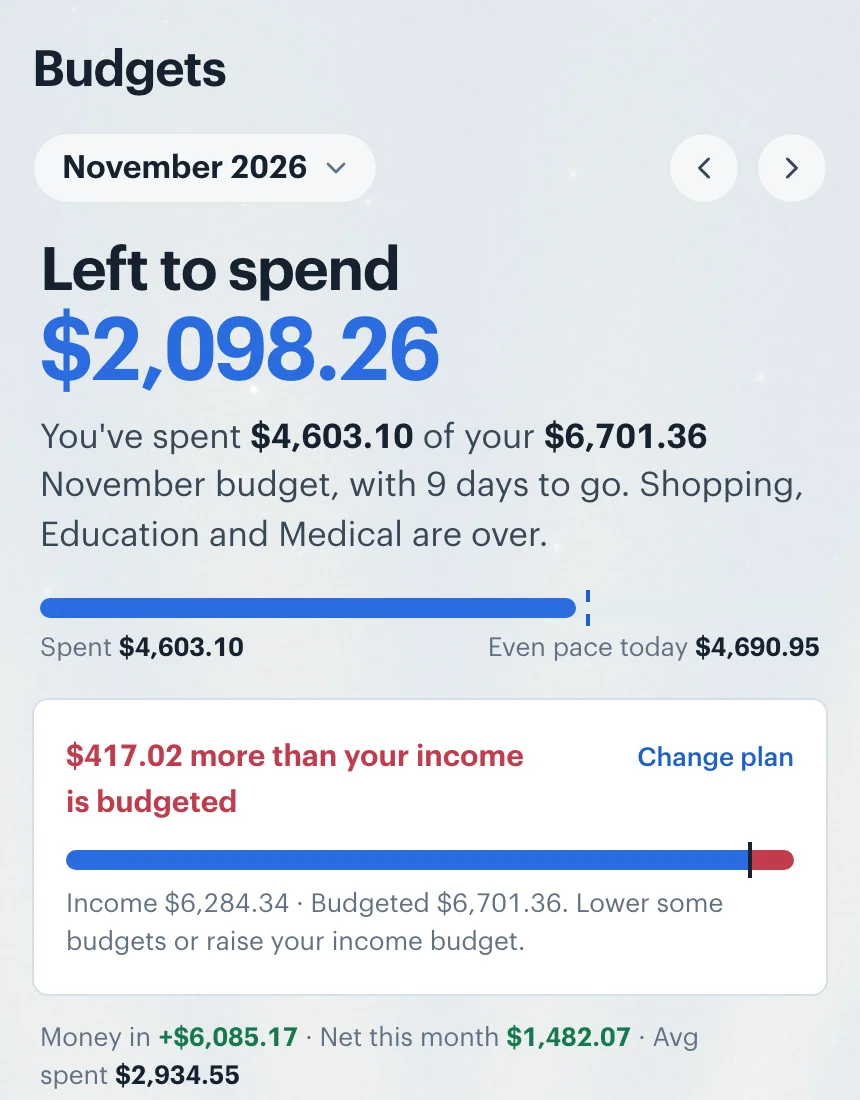
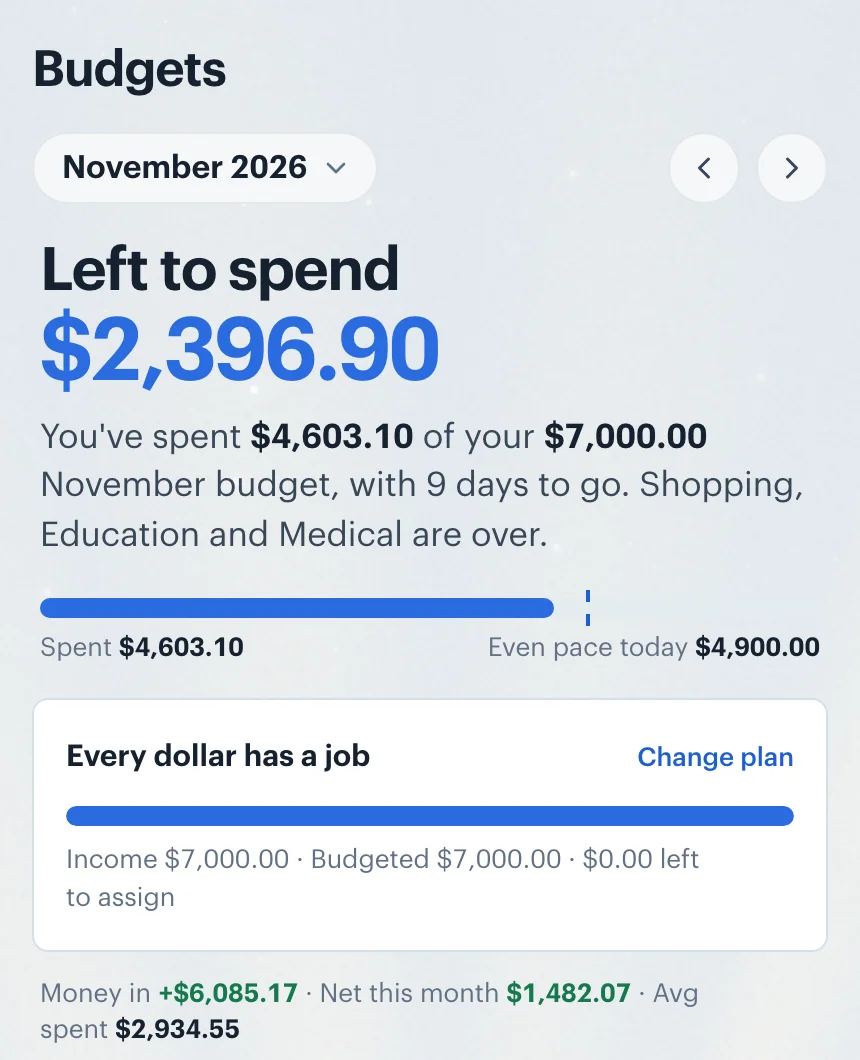
Zero-based measures against the income you budget for the month: what your Income categories are budgeted. It adds up every other category's budget, goals included, and compares the two in the Left to spend card at the top of Budgets: "Every dollar has a job" when they match, or "$417.02 more than your income is budgeted" when your budgets add up to more. Because your categories' amounts keep moving as the plan stays current, a zero set by hand would drift. So whatever is left goes to one goal you choose, which keeps the plan at zero as the lines move.
Set it up in Borderless Budget
1.Open Plan style on Budgets and choose Zero-based
The Plan style button sits in the Categories toolbar on a computer, and is a row above your categories on a phone. The style saves as soon as you pick it.
2.Budget your income and choose where what's left goes
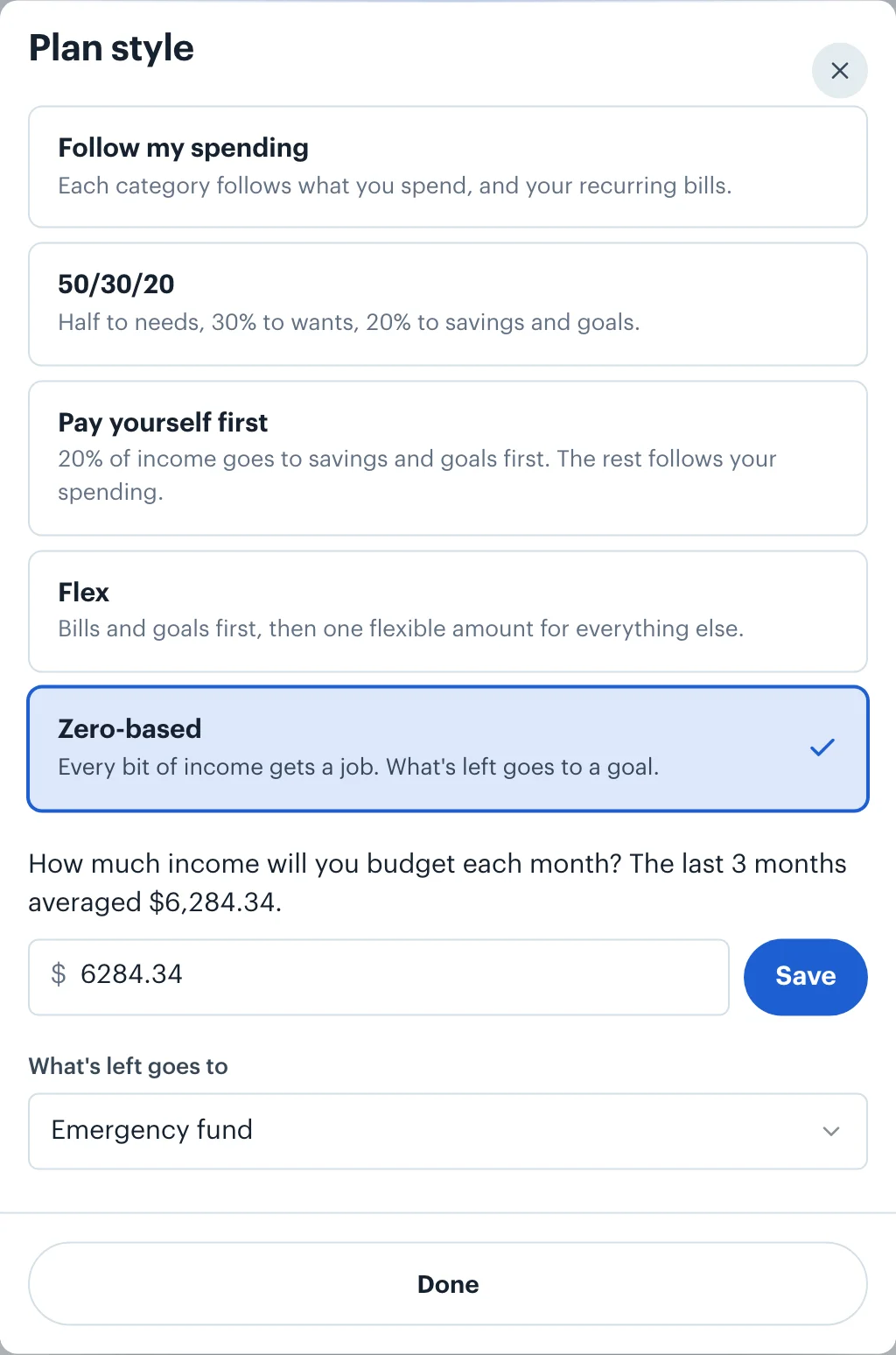
If no income is budgeted for the month yet, the sheet asks: "How much income will you budget each month?", and suggests your 3-month average. Type an amount and Save; it's budgeted on your main Income category from this month on. Then, under What's left goes to, pick a goal, usually an emergency fund or general savings. If you don't pick one, zero-based creates an open-ended "Savings" goal and uses that.
3.Read the plan under Left to spend
With the 3-month average of $6,284.34 budgeted as income, this budget's categories and goals already add up to $6,701.36, so the plan reads "$417.02 more than your income is budgeted". Its bar marks where your income ends and shows the extra past it, and nothing is left for the emergency fund beyond its own $250 a month. To get to zero, lower some budgets, or raise your income budget.
4.Budget the income you expect
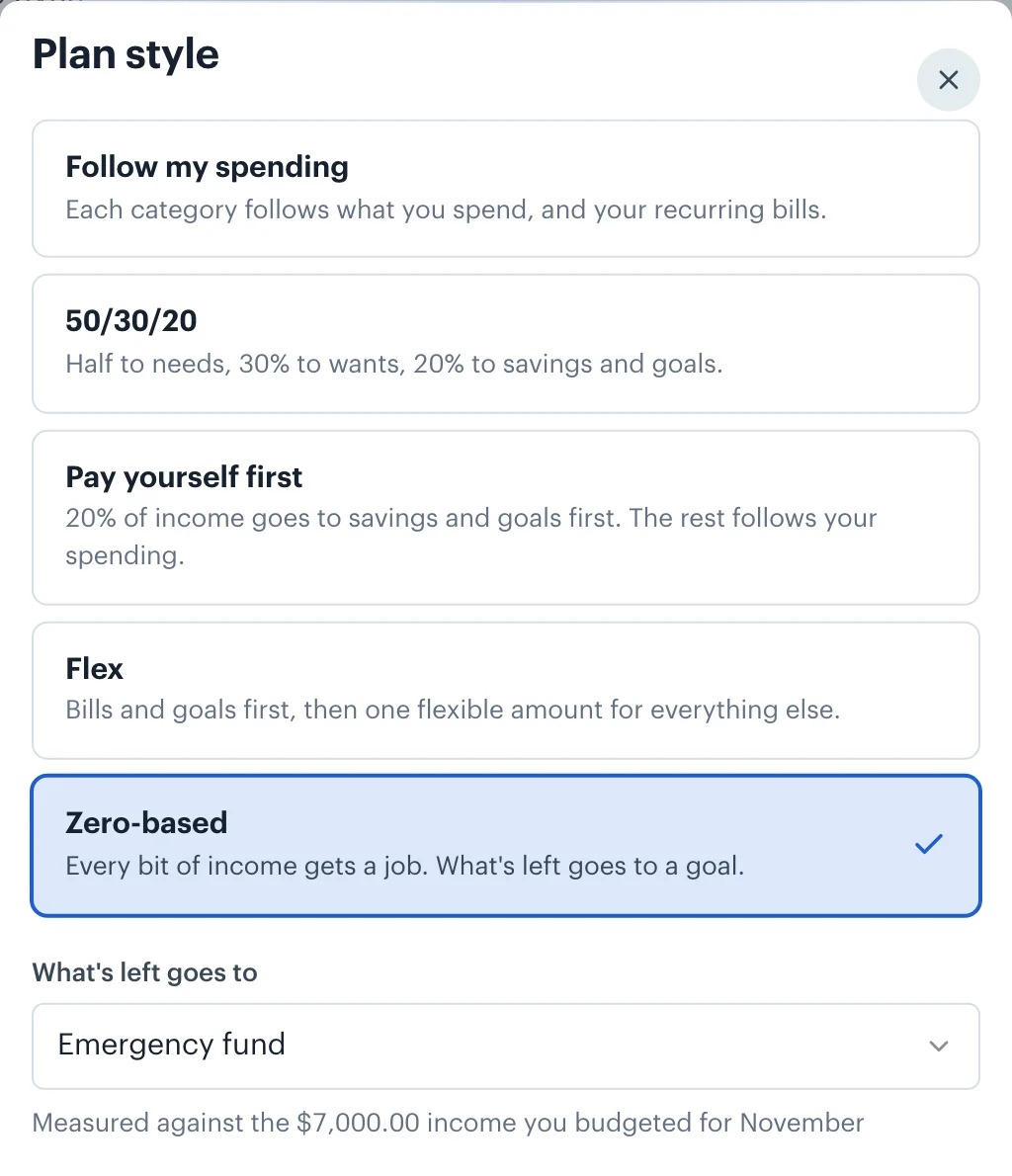
Zero-based is often done on the income you plan for the month rather than an average. On Budgets, click the Income category's Budgeted amount and type it. Here $7,000.00 is budgeted, the plan style sheet now says which amount it measures against, and the plan comes back to zero, with the $548.64 left over going to the emergency fund.
How goals fit in
Goals with a date get their monthly share first, what's still to save split over the months left, like the Lisbon trip's $331.36. Then the goal you chose under What's left goes to takes whatever income remains. A goal always rolls over, so what it holds and doesn't spend stays in it from month to month. Every other goal keeps its own monthly amount.
Irregular or no income
Zero-based is the one income-based style you can choose with no income history at all. When no income is budgeted for the month, it asks: "How much income will you budget each month?", and suggests your 3-month average when there is one. For irregular pay, budget the income you're confident of, and raise your Income budget when a bigger month lands. If a month's income, after your other spending, falls short of what you planned for goals, the Goals screen says so, and nothing is taken back from your goals.
Money in more than one currency
The income you budget is in your home currency, like every budget. If you're paid in another currency, budget what you expect it to be worth in your home currency, and revisit it if the rate moves a lot; the 3-month average the app suggests is already converted, each payment at the rate for its date. Goals in other currencies are converted at each month's rate before what's left is worked out, so a euro goal on a dollar budget can take a little more or less each month, and the goal that gets what's left absorbs the difference. How currency conversion works.
Prefer a simpler check than planning every line? See the 50/30/20 rule.
 Borderless Budget
See your month in one currency
Connect your accounts in each country you bank in, and Borderless Budget shows the month in your home currency, every original amount kept. Borderless Budget has a 30-day free trial, then costs $14.99 a month or $109 a year, billed in USD, with every feature and up to 10 connected banks included.
Sources
- 1. Wikipedia, Peter Pyhrr, accessed 20 November 2026. His work at Texas Instruments, its use there in the 1960s and his 1970 Harvard Business Review article.
More budget styles
- Follow my spending: The default. Each category's budget comes from your own recent spending and your recurring bills, and keeps itself current as months close.
- 50/30/20: Elizabeth Warren and Amelia Warren Tyagi's split of take-home pay: half to needs, 30% to wants, 20% to savings and goals, and how far you are from each.
- Pay yourself first: 20% of income goes to savings and goals before anything else, and every other category keeps following your spending.
- Flex: Cover your bills, set-aside bills and goals first, then watch one flexible amount for everything else instead of a dozen categories.
- All five styles compared